
In the age of streaming, on-demand content, and fiber-optic technology, the traditional cable TV service is becoming increasingly outdated. If you’re tired of paying hefty cable bills every month for a limited selection of channels, it might be time to consider making a switch. Enter PON (Passive Optical Network) technology: a solution that allows you to cut the cable cord while keeping your internet service intact. In this blog, we’ll explain how to get rid of cable TV without losing your internet connection and how a PON network OLT GPON can help build a modern home network for seamless entertainment and fast internet access.
What is a PON Network?
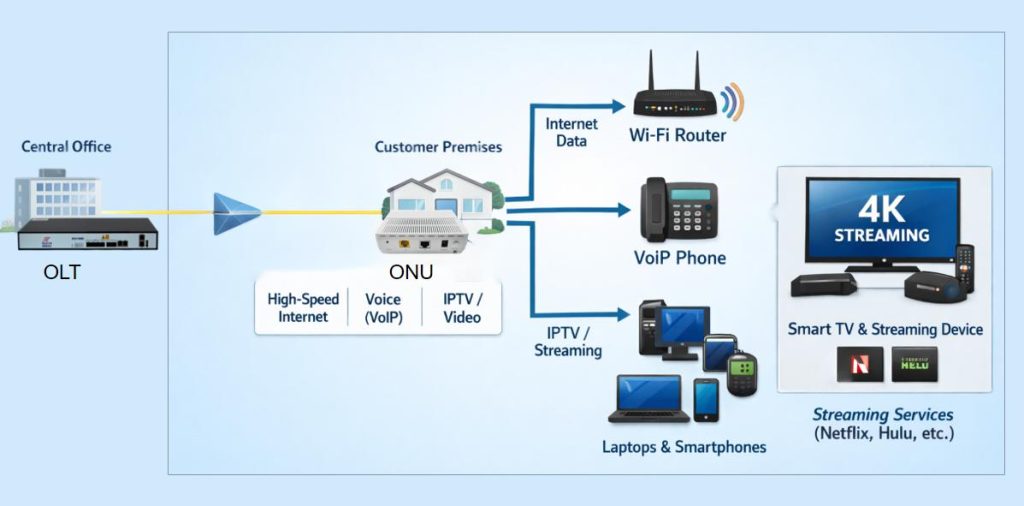
Before diving into the benefits of PON (Passive Optical Network ), let’s clarify what it is. A PON network is the backbone of a fiber-optic broadband system. It connects to your service provider’s fiber network and delivers high-speed internet, voice services, and TV to your home. A PON network acts as the central system that distributes data, TV signals, and voice services to devices like your Wi-Fi router, smart TVs, phones, and other connected devices.
With a PON network, you can create a powerful home network capable of supporting multiple devices, high-speed internet, and modern streaming services—all without the need for traditional cable TV.
How to Get Rid of Cable TV and Keep Internet
This is the crucial first step. You can’t build your modern network until you clear out the old one.
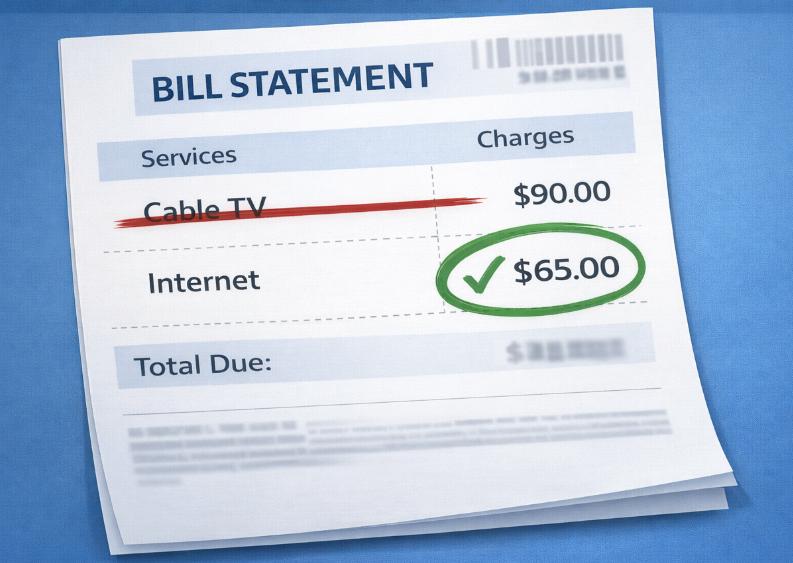
Audit Your Bill: How much are you actually paying for TV vs. Internet? The line items are often clear.
Call Your ISP: Be direct. “I would like to cancel my cable TV service but keep my fiber internet plan on my GPON OLT connection.” Be prepared for retention offers, but stay firm. The goal is to remove the TV portion from your billing and from the signal being sent to your OLT.
Return Equipment: You’ll likely need to return any set-top cable boxes. Your OLT gpon device and Wi-Fi router are for internet and stay with you.
Important Note: When you do this, your ISP will reconfigure their network side to stop delivering the traditional cable TV signal over your fiber line. Your GPON OLT will then be dedicated to pure, high-bandwidth internet.
Without cable How to get Basic TV
Now that you’re using a PON network for your internet, you don’t have to rely on traditional cable TV for your entertainment needs. Here’s how you can still enjoy TV without the cable box:
Your New “Channel”: Streaming Services
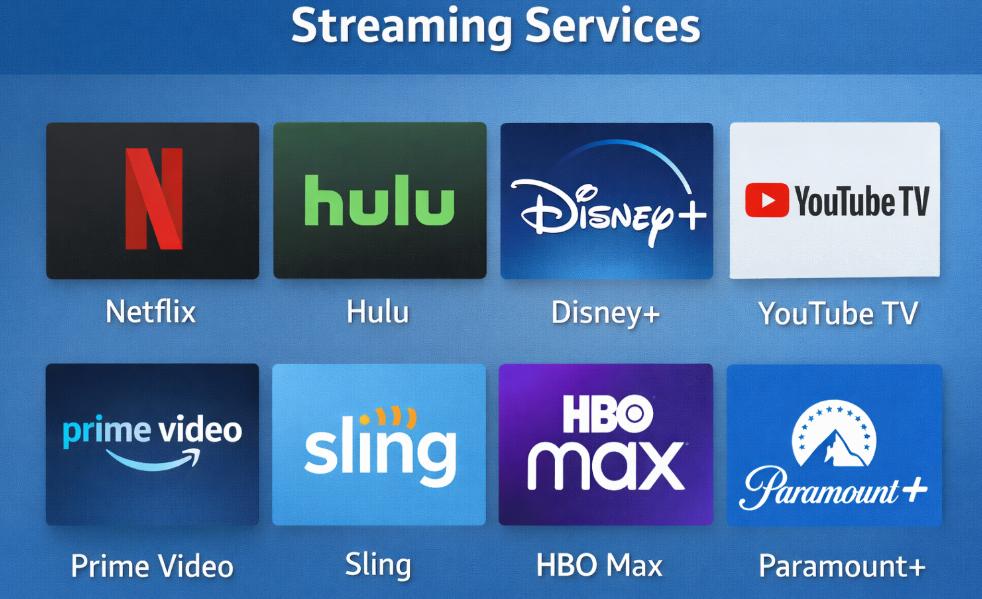
Instead of paying for cable TV, you can easily switch to streaming services. Options like Netflix, Hulu, Amazon Prime Video, and Disney+ give you access to a huge library of movies, TV shows, and even live content. You can stream your favorite shows directly through the internet, without the need for a cable subscription.
For live TV channels, services like YouTube TV, Sling TV, and Hulu + Live TV offer streaming packages that include live television programming, all available through your internet connection. This means you get access to the same content you would get with traditional cable, but without the need for expensive cable subscriptions or set-top boxes.
Building Your Modern PON-Powered Home Network
A great streaming experience needs a solid network. Here’s how to build one, starting with the foundation your service provides.
First, Understand Your Connection: The PON (Passive Optical Network) is the fiber infrastructure that runs from your Internet Service Provider (ISP) to your neighborhood and, ultimately, to your home. You don’t “have a PON network” in your home—you are connected to your ISP’s PON.
The critical hardware inside your home is the ONT (Optical Network Terminal). This is the box (often on a wall) where the fiber line terminates. It converts the light signal into data that your router can use.
Do You Have a PON Network at Home?
If you already have fiber-optic internet service, it’s likely that you are on a PON network, as many modern ISPs use fiber-optic technology to deliver high-speed internet. However, PON networks are often bundled as part of a fiber-to-the-home (FTTH) or fiber-to-the-premises (FTTP) setup.
You can verify this by checking with your ISP (Internet Service Provider). They can confirm if your connection is powered by a PON network or another type of broadband connection, like DSL or cable. If you’re unsure, the following are some indicators:
Fiber-optic connection: If your internet connection uses fiber-optic cables (you’ll usually see a fiber symbol on your modem or router), it’s likely a PON-powered system.
Internet speeds: If you’re experiencing extremely high-speed internet (often over 100 Mbps, and sometimes up to 1 Gbps or more), this could indicate a fiber-optic setup, which is powered by PON technology.
What Can You Do If You Don’t Have a PON Network?
If you don’t currently have a PON network at home but are interested in getting one, here’s what you can do:
Check Availability:
Contact your ISP to see if they offer fiber-optic internet or PON services in your area. Many ISPs are expanding their fiber networks, so it’s possible that they might offer a PON connection in your region.
Upgrade Your Plan:
If your ISP already offers fiber-optic internet, you might be able to upgrade to a PON-powered plan for faster speeds and better performance. Ask if they have a plan that includes fiber-optic broadband and whether the service is delivered through a PON network.
Consider Switching Providers: If your current ISP doesn’t offer fiber-optic or PON networks, consider switching to a provider that does. Many areas now have competition between different ISPs, and you might find better options for faster, more reliable internet.
Check for Fiber Availability: If fiber-optic internet is available in your area but not at your home yet, you could inquire about fiber installation. Some ISPs will install fiber lines to new neighborhoods or provide installation options for individual homes.
Here’s how to build out from that foundation:
Connect Smartly: Use an Ethernet cable to connect your primary streaming device (like an Apple TV, Roku, or smart TV) directly to your Wi-Fi router that’s connected to the PON network. This provides the most stable connection.
Boost Your Wi-Fi: For other TVs and devices, ensure strong Wi-Fi. Consider a Mesh Wi-Fi System (like eero, Google Nest, or Deco). Plug the main mesh node into your PON network router, and place satellite nodes where you watch TV. This creates a seamless, high-speed blanket of coverage.
Manage Your Bandwidth: The beauty of a PON connection is multi-gigabit potential. Even with 4K streams on multiple TVs, video calls, and gaming happening simultaneously, a fiber connection handles it effortlessly—something cable internet often struggles with.
Centralize with a Hub: Use a universal remote to control everything, simplifying the experience for the whole household.
The Benefits of Switching to PON network
Switching from traditional cable TV to a PON-powered home network offers numerous advantages:
Cost Savings: By eliminating your cable subscription, you can save a significant amount of money each month. Fiber-optic internet is often more affordable than cable packages that bundle TV and internet together.
Better Performance: PON Network delivers faster and more reliable internet speeds compared to traditional copper-based broadband, which is ideal for streaming, gaming, and working from home.
More Content Choices: With streaming services and internet-based TV options, you have access to a broader range of content than traditional cable TV, often with fewer ads and more flexibility in viewing.
Future-Proofing: As the world moves towards more advanced streaming and smart home technologies, PON Network is an investment that prepares your home for the future.
Conclusion
By choosing to stop paying for cable TV, you’re not losing out on entertainment—you’re gaining more control over what you watch and how you watch it. Transitioning from a rigid, expensive cable package to a flexible, personalized streaming setup gives you more options and greater convenience.
Your PON network is the foundation of this upgrade. It provides the reliable, high-capacity internet that makes streaming multiple 4K feeds or gaming a breeze—without the clutter or cost of traditional cable.
Ready to make the switch? Start by auditing your bill, then contact your ISP to remove the cable portion. Set up a simple antenna for local channels, pick one or two streaming services that you truly enjoy, and enhance your Wi-Fi with a mesh system. Soon, you’ll realize that life without cable is all about better quality, more control, and saving money.
Have you made the switch from cable to a full streaming setup on your fiber network? Share your tips or questions about using your PON network in the comments below!


