
In fiber optic networks, efficient troubleshooting tools are essential for minimizing downtime and ensuring signal integrity. One such indispensable tool is the Visual Fault Identifier (VFI). Understanding what a VFI meaning is and how to use it properly can save time, effort, and money.
Note: VFI (Visual Fault Identifier) is also known as VFL (Visual Fault Locator). Both terms describe the same tool used to detect faults in fiber optic cables by emitting visible red light.
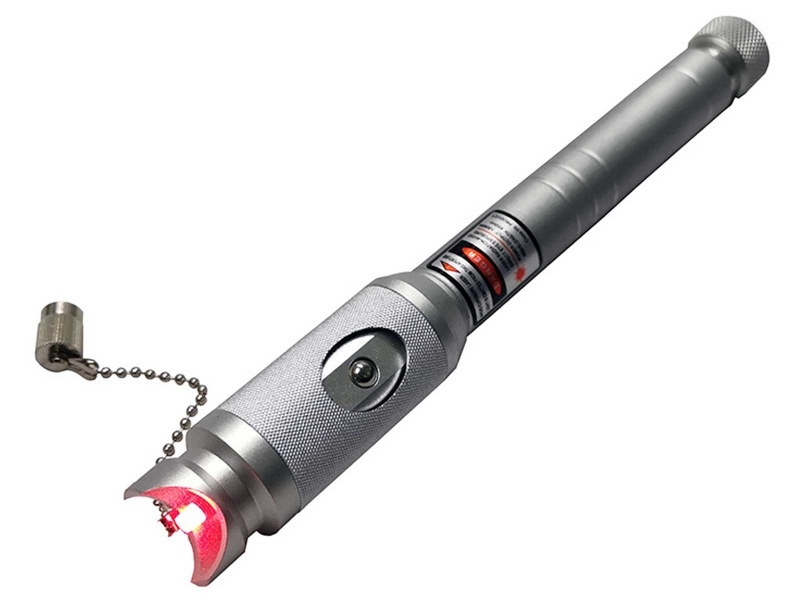
What is a VFI (Visual Fault Identifier)?
A Visual Fault Identifier (VFI) is a compact and cost-effective tool used to visually locate faults in fiber optic cables. It emits a bright red laser light—typically at a wavelength of 650 nm—that travels through the fiber core.When the fiber is intact and functioning properly, the light remains contained within the cable. However, if there is a physical break, severe bend, poor splice, or damaged connector, the red light will leak out or scatter at the fault location, making it easy to pinpoint the issue by eye.
VFIs are especially useful in the field due to their simplicity, portability, and quick results. Depending on the output power—typically ranging from 1 mW to 30 mW—a VFI can trace faults over distances of up to 3 to 30 kilometers in single-mode fibers.
Many models support both continuous wave (CW) mode for steady illumination and pulse mode, which helps detect light leakage more easily in certain conditions.
VFIs are usually equipped with standard optical connector interfaces such as SC, FC, or ST

How Does a VFI Work?
The VFI operates by injecting a visible red laser into one end of a fiber optic cable. Optical fibers guide light through total internal reflection, meaning the light is supposed to stay confined within the core. If the fiber is damaged or improperly spliced, the laser beam escapes at the problem point, making it visible to the naked eye. Unlike high-end testing instruments, VFIs provide immediate, intuitive feedback, which is particularly valuable in fast-paced or time-sensitive environments.
When to Use a VFI
A VFI is particularly useful during fiber optic installation, maintenance, and troubleshooting tasks. During installation, VFIs help ensure that splices and connectors are clean, properly aligned, and not damaged. For maintenance crews, VFIs offer a fast way to detect breaks in fiber patch cords or distribution cables without the need for bulky equipment. While not suitable for long-haul fault analysis like an OTDR, the VFI is perfect for short-distance applications and rapid visual inspections in the field or data center.

Read more: VFL vs OTDR: When and Why to Use a Visual Fault Locator?
How to Use a VFI: Step-by-Step
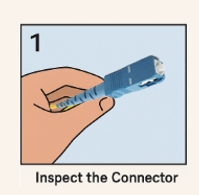
1. Inspect the Connector
Before using the VFI, it’s important to ensure that the fiber optic connector is clean and undamaged. Dirt or scratches on the connector end face can affect test accuracy and potentially scatter the laser light, giving false readings. Use an inspection scope or fiber cleaning tools to prepare the connector properly.

2. Connect the Fiber to the VFI
Attach the fiber to the VFI using a compatible connector adapter. Most VFIs support universal ports or provide swappable adapters for SC, FC, and ST connectors. Make sure the connection is secure to prevent power loss or inaccurate test results.

3. Turn on the VFI
Power on the VFI and select the desired operating mode. Continuous Wave (CW) mode emits a steady red light, ideal for quick inspection of shorter fibers. Pulse mode, on the other hand, emits a blinking light that is often easier to detect in bright or outdoor environments.

4. Observe the Fiber
Carefully observe the fiber along its length. If there is a break, sharp bend, poorly made splice, or damaged connector, the red laser will leak or glow visibly at the fault point. In a dark environment, even small leaks can be detected easily, helping you pinpoint the exact issue.
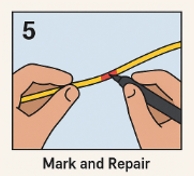
5. Mark and Repair
Once the fault has been identified, mark the location clearly and proceed with the appropriate repair—this could involve re-splicing the fiber, replacing a damaged patch cord, or re-terminating the connector. The VFI helps eliminate guesswork by showing precisely where the attention is needed.
6. Re-test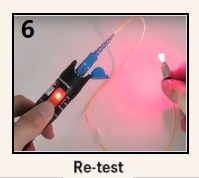
After performing the repair, use the VFI again to ensure that the problem has been fully resolved. The absence of visible light leakage during the second test confirms that the fiber is now intact and ready for use.
Safety Tips
While VFIs use low-power visible lasers, safety precautions should always be observed.
- Never look directly into the end of a fiber when the VFI is active, as even low-power lasers can cause eye damage over time.
- Use laser safety glasses if recommended by the manufacturer.
- Also, never use a VFI on a live (active) optical network—test only on dark fibers or during maintenance windows to avoid damaging equipment or causing data transmission errors.
Read more: Attention Common Mistakes to Avoid in Fiber VFL Testing
Conclusion
What is VFI meaning ? A Visual Fault Identifier is a simple yet powerful tool that plays a critical role in the field of fiber optic testing and troubleshooting. Its ability to instantly detect visible breaks, faults, or poor connections makes it an essential instrument in every fiber technician’s toolkit. Whether you’re verifying a newly installed link, diagnosing a sudden network failure, or checking patch cords before deployment, the VFI helps you work faster and more efficiently—with confidence. By incorporating VFIs into your standard workflow, you can ensure higher reliability, quicker repairs, and better service quality across your fiber optic infrastructure.


