
If you have fiber internet service, you may have heard the term ONT but may not know exactly what it is or where it is installed. Many homeowners ask questions such as “where is the ONT located?”, “where is the ONT?”, or “where is ONT box located?” when setting up a new router, troubleshooting an internet outage, or upgrading their home network.
The ONT is a critical component of any fiber-optic internet connection. Although it is usually installed by your internet service provider, many users rarely notice it until they need to check connection lights or diagnose a service issue. Because the ONT is often placed in garages, utility rooms, basements, or outdoor enclosures, it can sometimes be difficult to locate.
Before looking for the ONT in your home, it helps to understand what the device does and why its installation location is important. Once you know its purpose, identifying and locating the ONT becomes much easier.
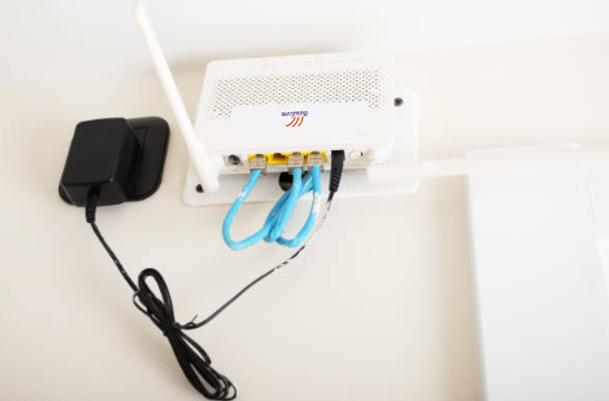
Why ONT Location Matters
Many homeowners assume the ONT can be installed anywhere, but its location can affect network maintenance. Likewise, when internet problems occur, knowing the ONT’s location allows you to quickly inspect status lights and perform basic troubleshooting.
Power cycling if you need
Unplugging the ONT (not just the router) fixes many fiber connection issues. Your router might show that it’s working perfectly, but if the ONT has frozen up, you’ll have no internet at all. A full power cycle means unplugging the ONT’s power cord, waiting at least 30 seconds (this allows all internal capacitors to drain completely), and then plugging it back in.
Battery replacement
Some ONTs have a backup battery for VoIP phone service. If you have a home phone line through your fiber provider, your ONT likely contains a small rechargeable battery (similar to a motorcycle battery). This battery typically lasts 3-5 years before it needs replacement. If you hear a beeping sound coming from somewhere in your garage or basement, that’s often the ONT alerting you that its backup battery is dying.
Moving your router
Please try not to move the ONT without a technician (fiber cables are fragile, and bending them too sharply can permanently break the glass inside). However, you can run a long Ethernet cable from the ONT to a better router location. Ethernet cables can be up to 328 feet (100 meters) long without losing signal, so you have plenty of flexibility to place your router in the center of your home for better Wi-Fi coverage.
Simple Troubleshooting
If the “PON” or “Optical” light is red or off, the problem is outside your home (ISP issue). In that case, no amount of unplugging your own equipment will help — you need to call your provider. But if the “Power” light is off, you might have a tripped breaker or a loose power cord. Knowing which light means what saves you hours of unnecessary troubleshooting.
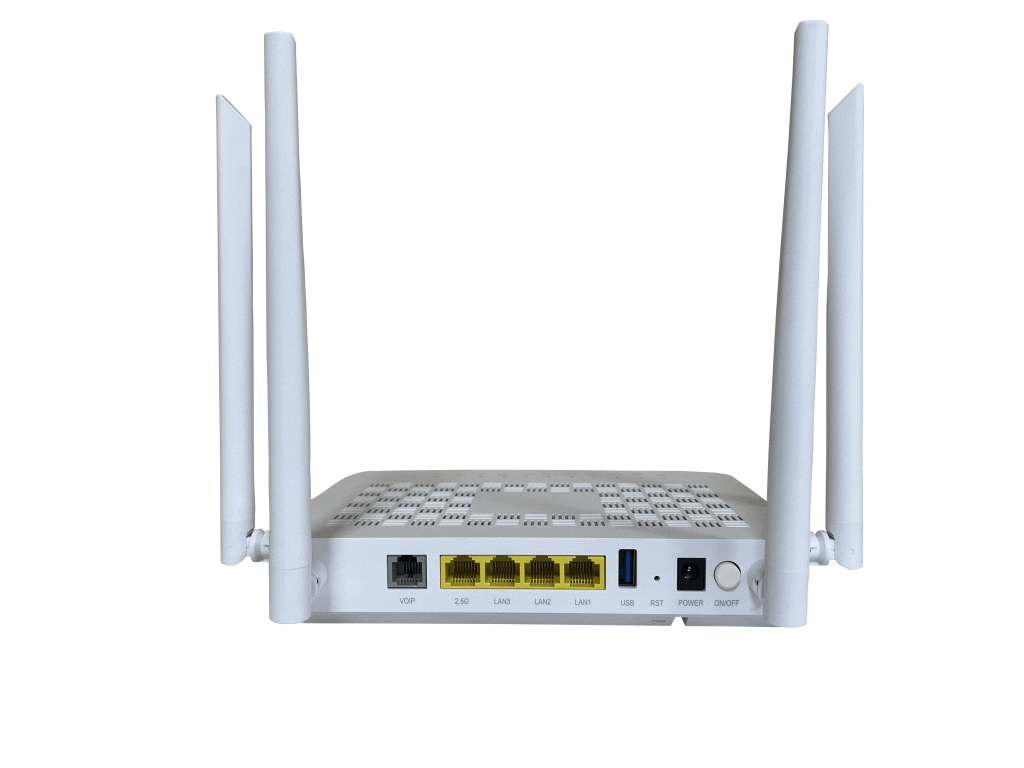
Where Is the ONT Located?
The exact location of an Optical Network Terminal (ONT) depends on your home’s layout and your internet service provider’s installation practices. The goal is usually to place the ONT close to where the fiber cable enters the building while still allowing easy access to power and your home network.
1. Living Room or Home Office (Most Common)
In many FTTH installations, the ONT is placed in the living room or home office — which is naturally where the Wi-Fi router sits. The two devices are then connected with a short Ethernet cable, often resting on the same desk, shelf, or media console.
Why this location is common:
- The router lives here anyway, so the ONT simply gets placed next to it.
- Installers can bring the fiber in through the nearest exterior wall without running cable through the whole house.
- Troubleshooting is easier because both devices are visible and accessible.
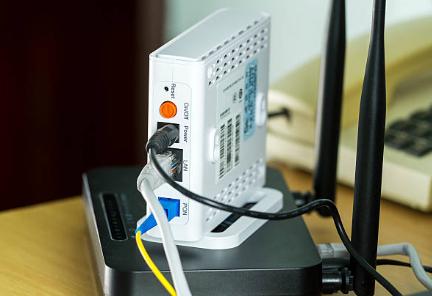
2. Inside a Structured Wiring Panel or Utility Closet
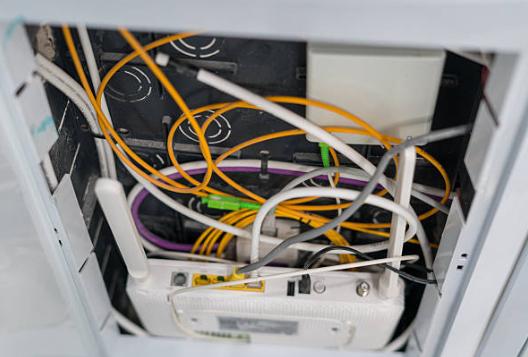
Many newer homes are built with a structured wiring panel or utility closet that centralizes networking and communication equipment. In these homes, the ONT is typically installed alongside the router, Ethernet switch, coaxial splitter, and other low-voltage devices.
This setup creates a clean and organized network infrastructure while protecting the equipment from accidental damage. It also allows Ethernet cables to be distributed efficiently to different rooms throughout the house.
Although the ONT is easy for technicians to access, homeowners may need to install additional wireless access points or a mesh Wi-Fi system if the router remains inside the enclosed cabinet, as the cabinet itself can weaken wireless signals.
3. On a Wall Near the Fiber Entry Point
Another common installation location is on an interior wall close to where the outdoor fiber optic cable enters the building. Installers often choose this position because it minimizes the length of delicate indoor fiber cable. Reducing installation costs and the risk of cable damage.
The ONT may be mounted near the front entrance, hallway, laundry room, or electrical panel depending on the home’s design. Since fiber cables should not be sharply bent or frequently moved, installing the ONT near the entry point helps maintain signal reliability over the long term.
After installation, an Ethernet cable is typically run from the ONT to the router, which may be located elsewhere for better Wi-Fi coverage.
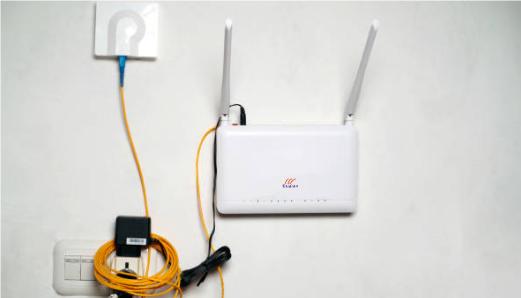
4. In a Garage
Many single-family homes have fiber service entering through the garage, making it one of the most common locations for an ONT installation. The device is usually mounted on a garage wall near where the fiber cable enters the property.
Garages provide convenient access for technicians and often have nearby electrical outlets, making installation straightforward. From the ONT, an Ethernet cable can be routed through the walls or attic to connect to a router located inside the home.
One drawback of this arrangement is that garages are generally not ideal locations for Wi-Fi routers because concrete walls and distance can reduce wireless coverage. For this reason, the router is often installed elsewhere while the ONT remains in the garage.
5. In a Basement or Utility Room
Homes with basements frequently have utility services entering through that area, making it another practical location for the ONT. Water lines, electrical wiring, and telecommunications cables are often centralized in the basement, allowing installers to integrate the fiber connection with existing infrastructure.
The ONT is usually mounted on a wall or utility board, while Ethernet cabling connects it to a router located on the main floor. This arrangement keeps networking equipment organized and protected, although the router itself is often moved upstairs to improve Wi-Fi performance throughout the home.
6. Inside an Apartment Communication Box
In apartment buildings and condominiums, the ONT is commonly installed inside a small communication cabinet or media panel provided by the building developer. These cabinets are typically located near the entrance, in a hallway closet, or inside a utility cabinet.
The communication box may house several networking components, including the ONT, telephone wiring, coaxial cables, and Ethernet connections. Residents usually only need to connect their own Wi-Fi router to the Ethernet port inside the cabinet to activate internet service.
Because these cabinets are compact and sometimes hidden behind doors or panels, many apartment residents are unaware that the ONT is installed there until they need to troubleshoot their connection.
7. Outside the Building (Least Common)
In some regions or specialized business installations, the ONT or fiber termination equipment may be installed inside a weatherproof enclosure mounted on an exterior wall. These outdoor units are designed to withstand rain, dust, sunlight, and temperature changes.
However, outdoor ONT installations are relatively uncommon for residential customers. Since the device requires electrical power and occasional maintenance, most internet service providers prefer to install it indoors where it is better protected and easier to access.
In many cases, what appears to be an “outdoor ONT box” is actually a fiber termination or splice enclosure, while the powered ONT itself is located inside the building. Therefore, if you cannot find your ONT outside, it is worth checking indoor locations such as a garage, utility closet, or communication cabinet.
Each location offers different advantages for cable management, maintenance access, and equipment protection. Some homes have indoor ONTs, while others use weatherproof outdoor installations.
If you are unsure whether you have already seen the ONT, the next section will help you identify it.
How to Identify an ONT
Once you know the typical installation locations, finding the ONT becomes much easier. Most ONTs have a distinctive appearance that separates them from routers and other networking devices.
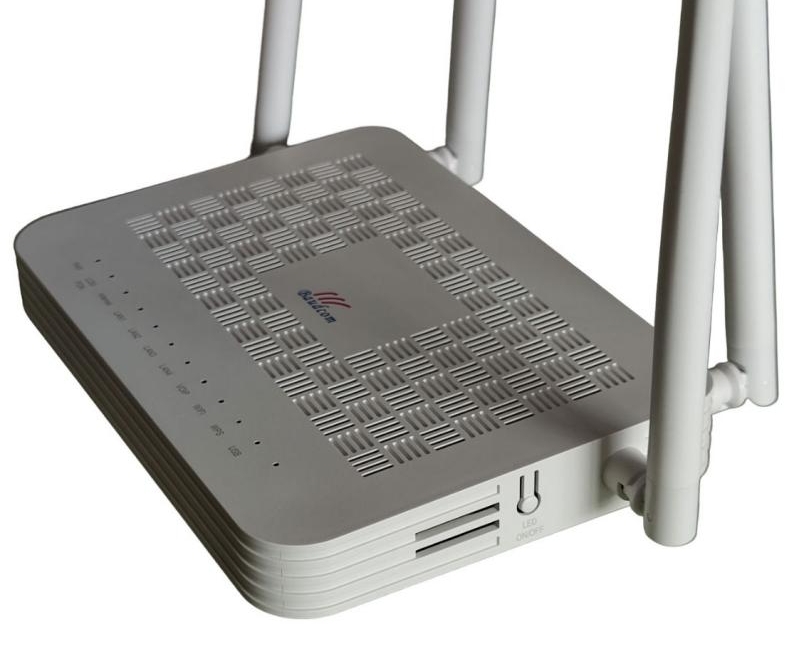
You’re looking for a plastic box, typically:
Size: 5 to 8 inches wide, 6 to 10 inches tall — about the size of a small textbook or a thick paperback novel.
Color: White, black, or beige — sometimes off-white if it has aged or been exposed to sunlight.
Lights: Usually have green or amber LEDs labeled Power, PON (or Optical), LAN, and Alarm. If the “Power” light is off, the ONT isn’t getting electricity. If the “PON” or “Optical” light is off or blinking red, the ONT can’t see the fiber signal from your ISP.
These models all look slightly different, but they all have the same basic layout: power input on one side, fiber input on another, and one or more Ethernet ports.
Still Can’t Find It? Try These Tricks:
Check the attic
Rare, but possible in warmer climates where attics don’t freeze in winter. If your attic has a plywood floor and a light fixture, an installer might have chosen to put the ONT there to keep it completely out of sight.
Look behind furniture
In apartments, the ONT is sometimes mounted low on the wall, hidden by a couch, bookshelf, or entertainment center. Try pulling large pieces of furniture away from the wall a few inches and shining a flashlight along the baseboards. You might find the ONT mounted just a few inches above the floor, where it’s completely invisible from a standing position.
Use a toner/probe
If you’re tech-savvy, plug a toner into the Ethernet port of the ONT (if you can trace the cable back from your router). A toner sends an audible signal through the wire, and a separate probe device beeps when you hold it near the other end of the cable. This is an advanced technique, but it works perfectly when the Ethernet cable disappears into a wall or ceiling.
Call your ISP
They keep records of exactly where the ONT is located from the original installation. Just ask: “Can you tell me where my ONT box is installed?” The customer service representative can often look up the installation notes or transfer you to a technician who remembers the job. This is by far the fastest method if you’ve already spent 20 minutes searching on your own.
Where Is the ONT Box Located Compared to the Router?
Unlike a router, which focuses on distributing internet throughout your home, the ONT’s primary job is converting the incoming fiber signal into a format that networking equipment can use.
This difference often causes confusion, leading many users to wonder whether the ONT and router are actually the same device.
The function of the ONT is to convert the optical signals transmitted over the fiber-optic network into Ethernet signals. The router then distributes the internet connection to devices through Wi-Fi or wired Ethernet connections.

| Device | Main Function | Typical Location |
| ONT | Converts fiber signal | Garage, utility room, basement |
| Router | Creates Wi-Fi network | Living room, office, hallway |
The ONT and router are usually connected using an Ethernet cable. In some installations, they may sit side-by-side, while in others, they may be located in separate rooms.
Many homeowners choose to place the router in a more central indoor location to improve wireless coverage while leaving the ONT near the original fiber entry point.
Fiber Cable → ONT → Router → Wi-Fi Devices
Final Thoughts
If you have been wondering where is the ONT located. The answer usually depends on where the fiber cable enters your property and how the home network was designed.
This small device plays a critical role in fiber internet service because it converts optical signals into usable internet, phone, and IPTV connections for the home.
Understanding where the ONT box is located helps homeowners:
- Troubleshoot internet issues faster
- Improve router placement
- Plan Wi-Fi upgrades
- Prepare for power outages
- Understand their FTTH network better
As fiber internet adoption continues growing worldwide, ONTs are becoming a standard part of modern home networking infrastructure.
Did you find your ONT? Or is it still hiding somewhere we didn’t mention?
Drop a comment below and tell us: Where was your ONT box located? Your answer might help another reader who’s searching in the same strange spot. Like a laundry room, a crawlspace, or even inside a kitchen cabinet. We read every comment and reply within 24 hours.


